STINT
Engineering stage · not yet in production

Driving, recorded from the wrist

STINT,the watch thatrecords your drive.

Currently an engineering unit. We are looking for testers.
Take a look at the watch, then decide if you would like to join.
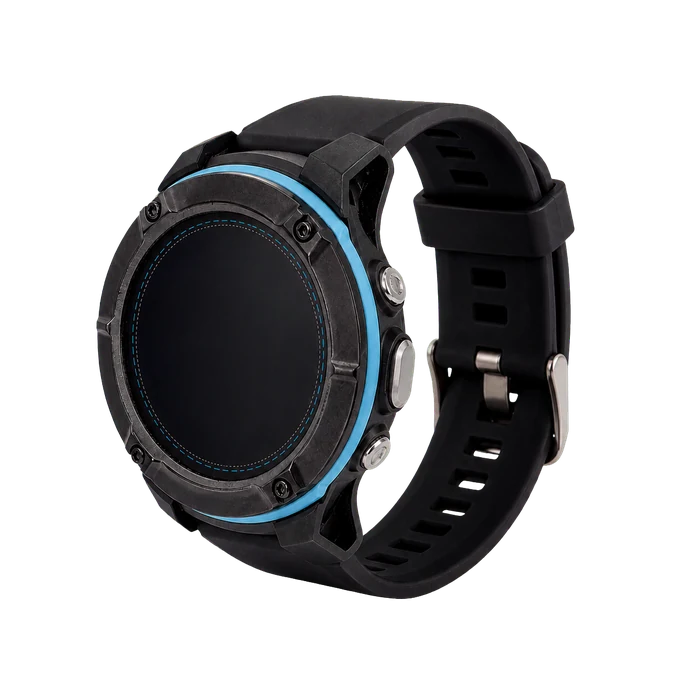
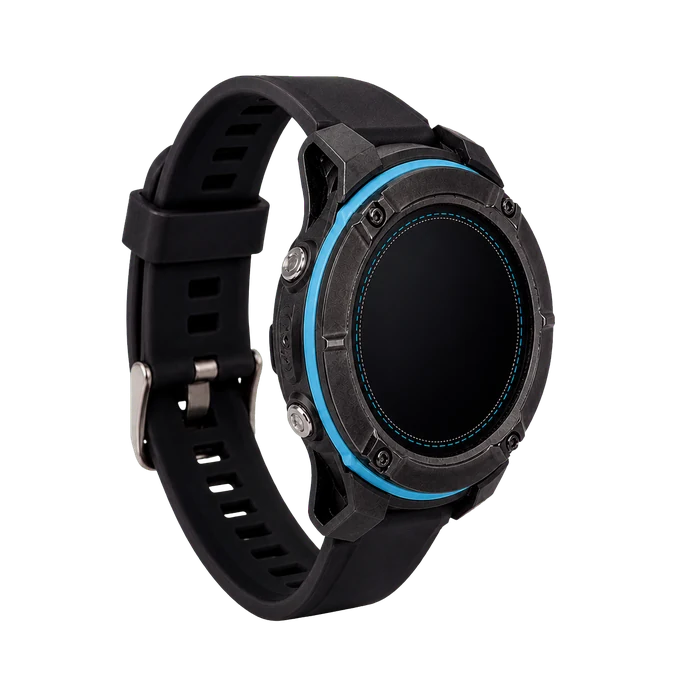
Photo of the black STINT engineering unit, three-quarter view with silicone strap and screen off
Black · silicone strapEngineering unit photo / not the production design
How it looks

Black and white.
Two different looks.

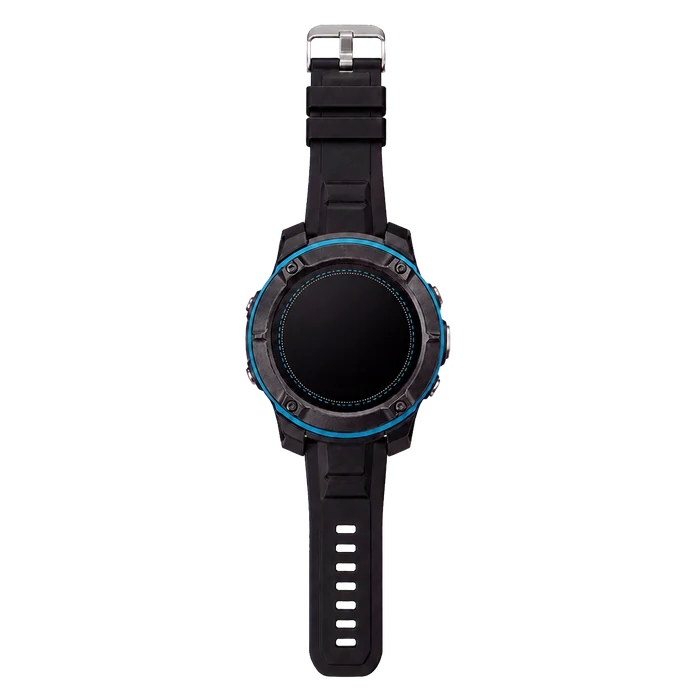
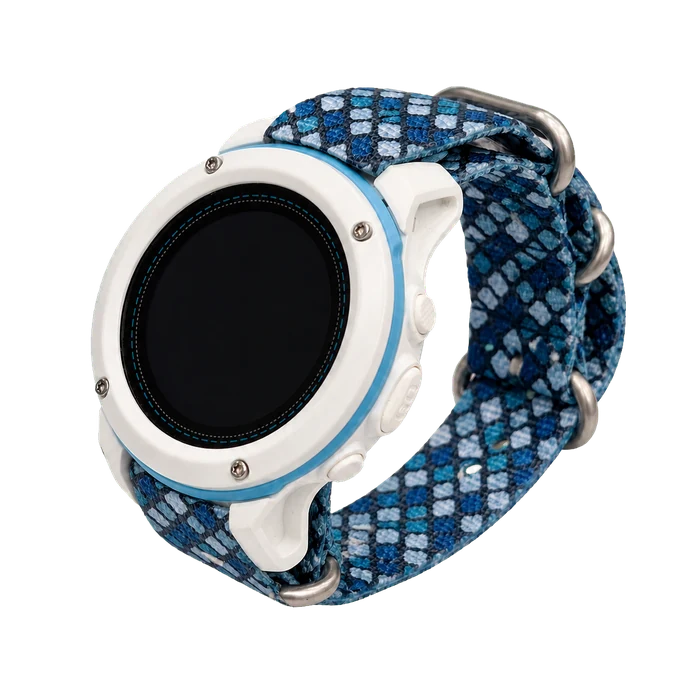
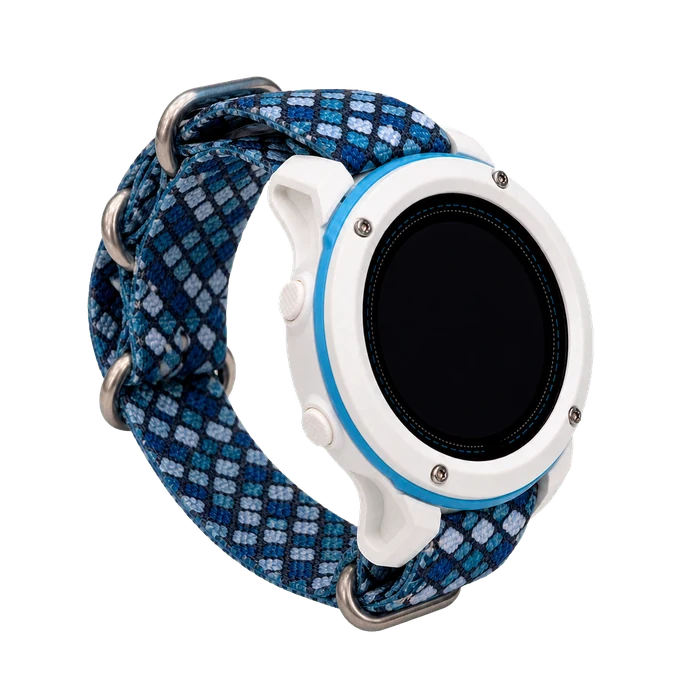
These are photographs of the actual engineering unit. The finish, the button feel and the strap are not production parts and may change for the production version.
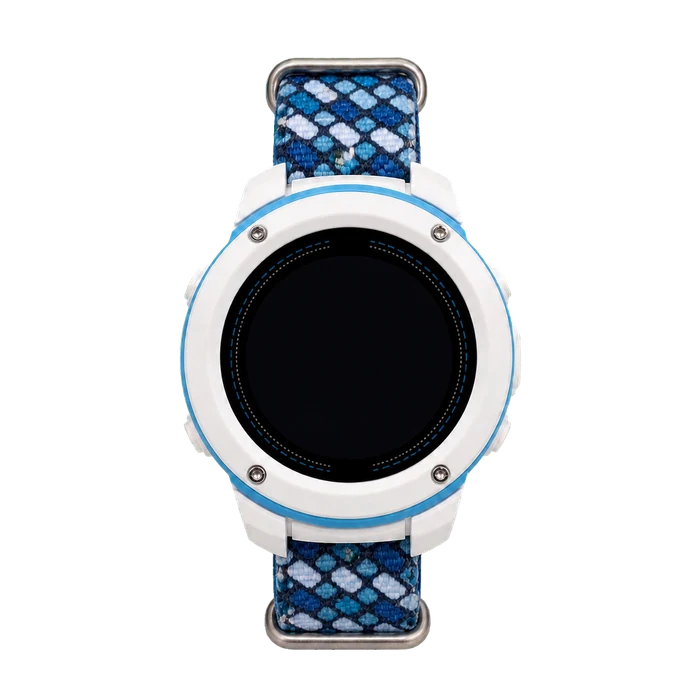
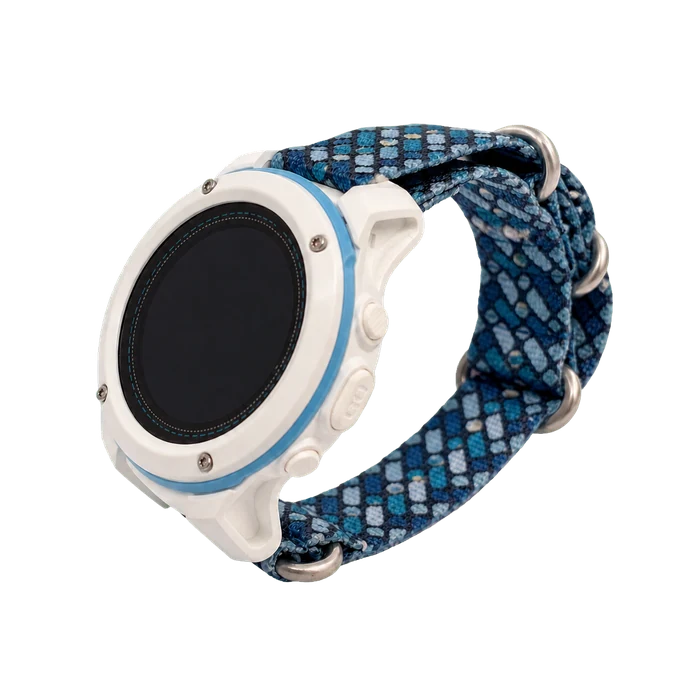
White STINT engineering unit, front view with blue-and-white woven strap and screen off
WhiteWoven strap · front view

A different angle.
A closer look.

The case, the side buttons, and the strap you wear every day.
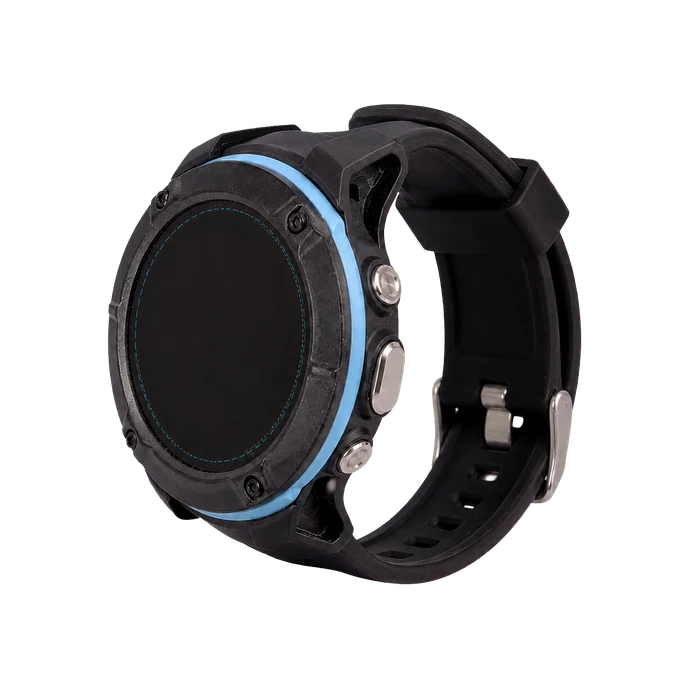
Side buttons and silicone strap of the black STINT engineering unit
BlackSilicone strap · button-side view
See all angles in black and white
Black · silicone strap
STINT black engineering unit, front
Front
STINT black engineering unit, 45 degrees
45 degrees
STINT black engineering unit, rotated 45 degrees right
Rotated 45° right
STINT black engineering unit, side
Side
White · woven strap
STINT white engineering unit, front
Front
STINT white engineering unit, 45 degrees
45 degrees
STINT white engineering unit, rotated 45 degrees right
Rotated 45° right
STINT white engineering unit, side
Side
Back to modes
The small pride of a commute

Sometimes you take one junction more
just for one more good stretch.

That slip road on the way home — the downshift, the throttle, the exit, all of it just right. You would not time a commute, but you still want to know how far it was and how fast on average.
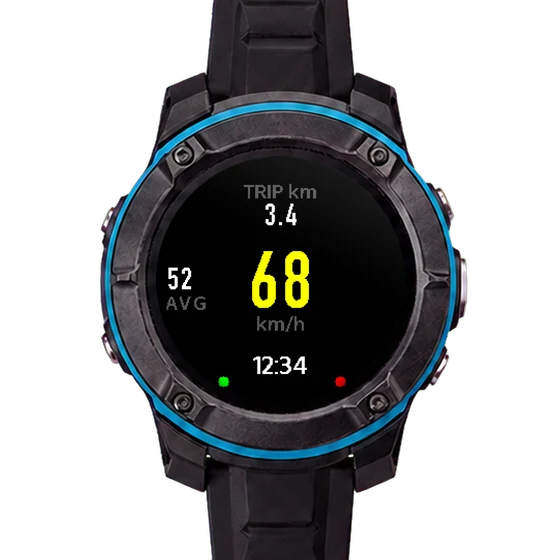
3.4 km
This trip
68
km/h
52
avg
The figures above are real readings from the device screen
See everyday mode features
  • Daily driving mode
    Starts when you drive off, stops when you park.
  • Distance and average speed per trip
    See how far and how fast on the watch; the full track is in the app.
  • Speed camera alerts
    The app warns you ahead of a speed camera.
STINT daily mode in progress: 3.4 km this trip, 68 km/h, average 52
Everyday mode · existing on-device screen
Why a watch

Keep your driving records on your wrist.

01

No extra setup
before you set off.

Daily mode starts by itself when you drive off and stops when you park.

02

Record different setups.
Compare them later.

Record before and after a tyre change or a damper adjustment and compare how it actually drives.

03

No more logs scattered
across different places.

Commuting, track, off-road and RC all use the same recording format.

STINT rides on your wrist, not on the windscreen,
and there is no power cable to run.
Back to modes
The high point of a track day
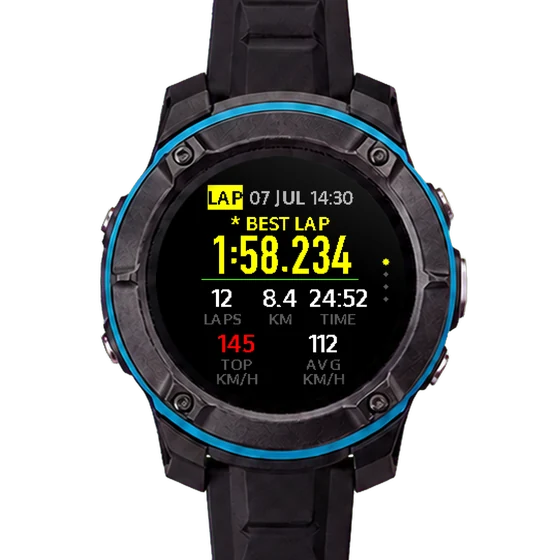
best lap
1:58.234
145
km/h max
12
laps
Real readings from the "track session summary" screen
STINT track session summary screen: best lap 1:58.234, 12 laps, top speed 145 km/h
Actual screen · session summary
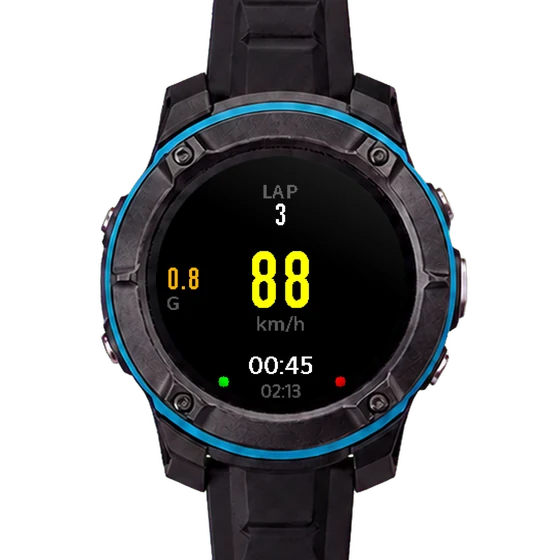
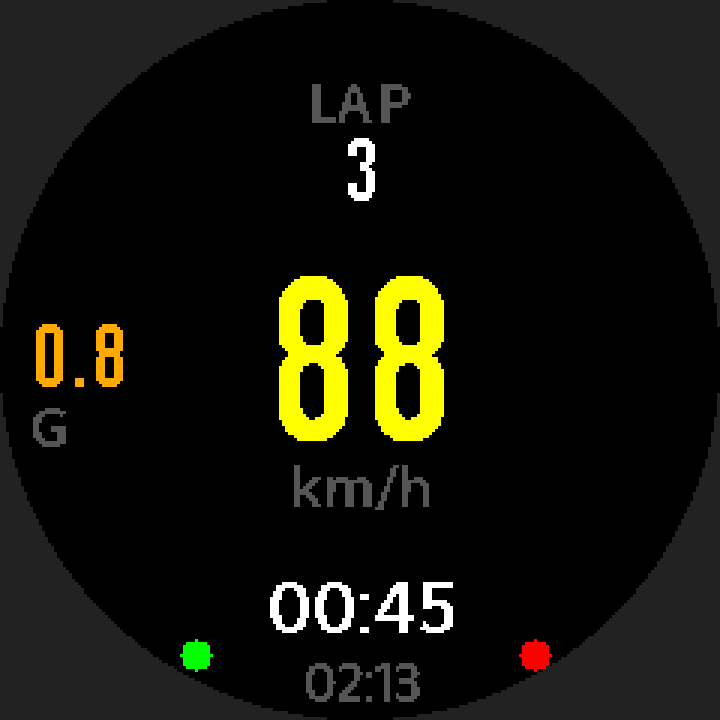
STINT track mode in progress: lap 3, 88 km/h, 0.8 G, current lap 00:45
Actual screen · recording

How does this lap compare to your best?

Cross the line and see the delta to your best lap straight away. Back in the pits, open the app for the lap-by-lap detail.

  • Best lap and per-lap delta
    See the gap to your best lap as soon as the lap ends
  • Lap-by-lap detail
    Lap time, top speed and peak g for each lap in the app
  • Sound and vibration alerts
    Audible and haptic, so you still feel it through gloves.
  • Automatic lap detection
    Select GPS AUTO in CIRCUIT and set the start/finish line first. When GPS conditions are met, crossing that line automatically starts a new lap.
  • Long session recording
    More than two hours of continuous recording without a break.
Back to modes
Acceleration test records

New intake, new tyres —
is it actually quicker?

Run acceleration tests only at legal, closed venues suitable for testing. When comparing results, account for differences in tyres, load and conditions.
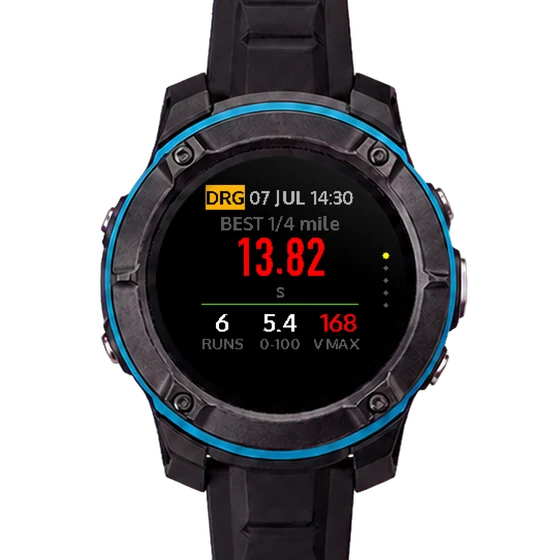
  • Acceleration mode
    Records 0–100 km/h and 0–60 mph times.
  • Multiple runs per session
    STANDING mode supports consecutive runs within one session. You must confirm readiness again before each run.
  • G-force curve
    See how g changes through the run; with the built-in GPS this is a derived value.
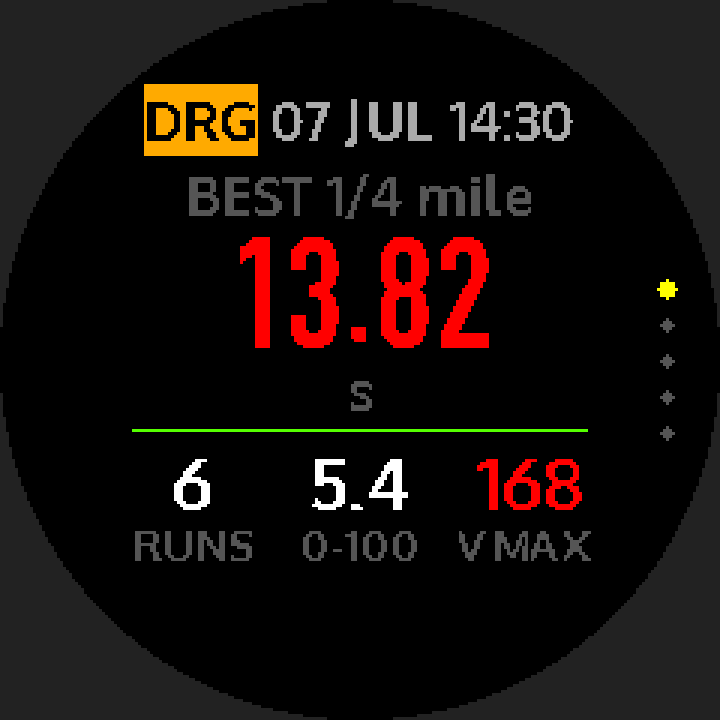
STINT acceleration summary: best quarter mile 13.82 s, 6 runs, 0–100 in 5.4 s
Engineering test screen · 0–100 summary
60 ft
—
Launch
0-100 km/h
5.4 s
1/8 mile
—
Split recorded
1/4 mile
13.82 s
Figures in orange are real readings from the device (6 runs in that session). Fields marked "—" are recorded too; they are simply not shown on this screen.
Back to modes
Off-road attitude records

Over the ridge —
just how steep is that?

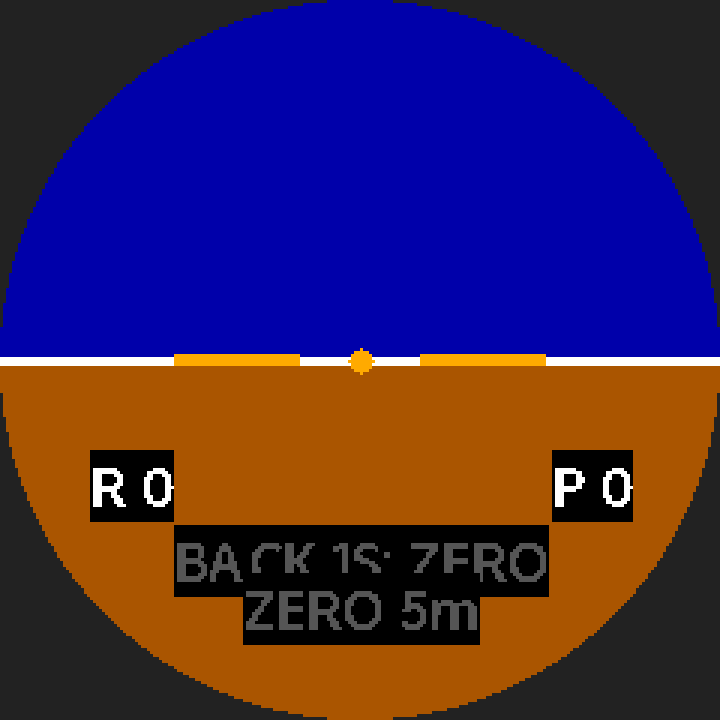
View pitch and roll readings. Angle values cannot determine whether a vehicle will roll over.
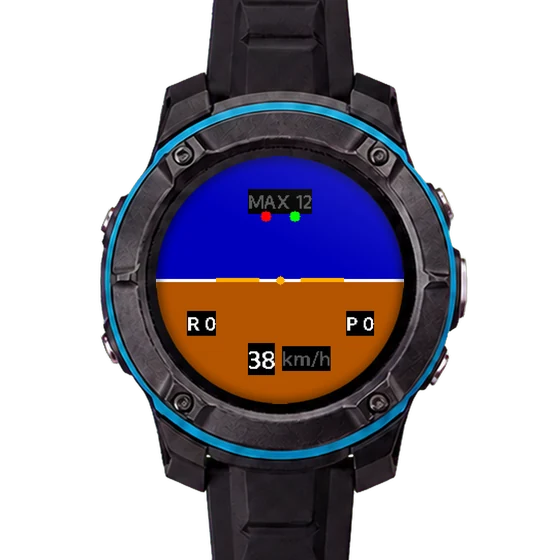
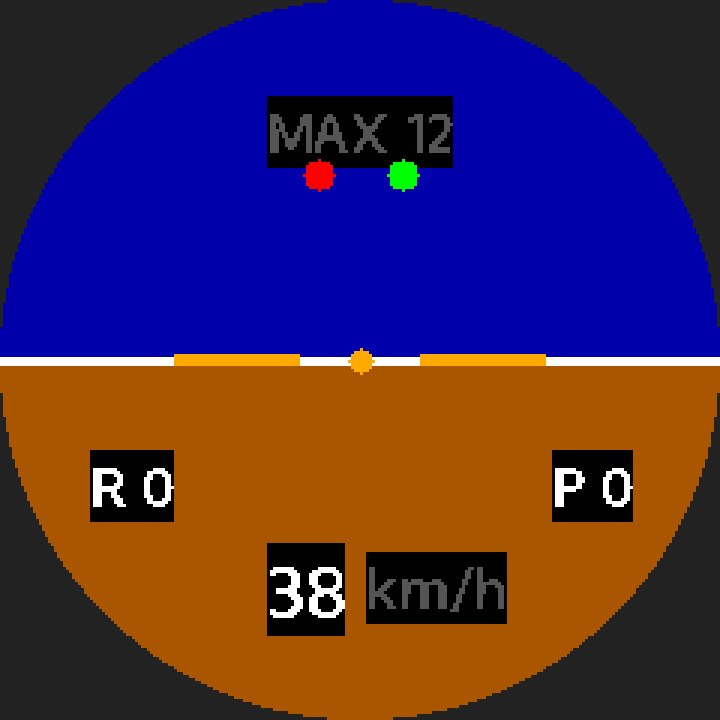
STINT off-road horizon screen: blue sky over brown ground, roll and pitch, 38 km/h
Engineering test screen
01

Attitude indicator

Secure the watch to the vehicle and select VEHICLE mounting mode to display pitch and roll relative to the reference.

02

Zero at the current attitude

Set the reference from the stationary attitude for this session. Valid GPS and enough stationary samples are required. Readings are not absolute slopes relative to level ground.

03

Mounting calibration

Set the mounting reference after securing the watch. Set it again whenever you move the mount.

04

Off-road mode recording

Review climb and roll across the whole route in the app.

Back to modes
The steepest climb an RC crawler took

RC crawlers need to see
climb and roll angles too.

Strapped to the chassis it measures climb and roll; held in your hand it measures a rock, a slope or the chassis itself.
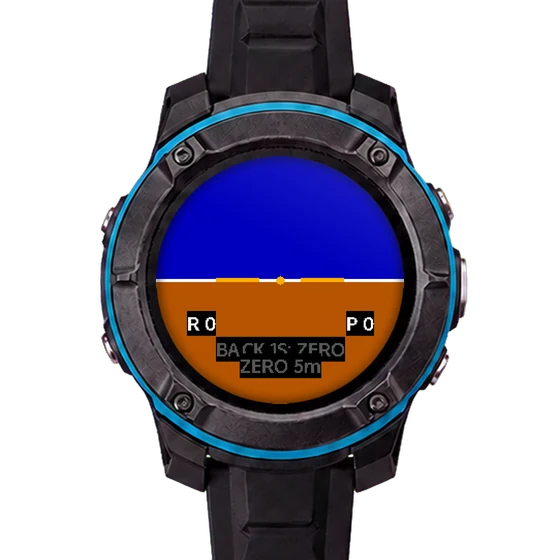
STINT FreeTilt handheld angle measurement screen
Engineering test screen

Climb angle records

Record pitch angles and import them into the app to review changes.

Roll angle records

Record changes in roll angle. These values cannot guarantee that a vehicle will not tip over.

FreeTilt handheld inclinometer

No GPS required. Record tilt relative to a reference and sync it to the app. First, follow the on-screen instructions to hold the watch still and zero it.

RC crawlers do not use GPS. They are slow and cover very little ground, so only attitude data is recorded.
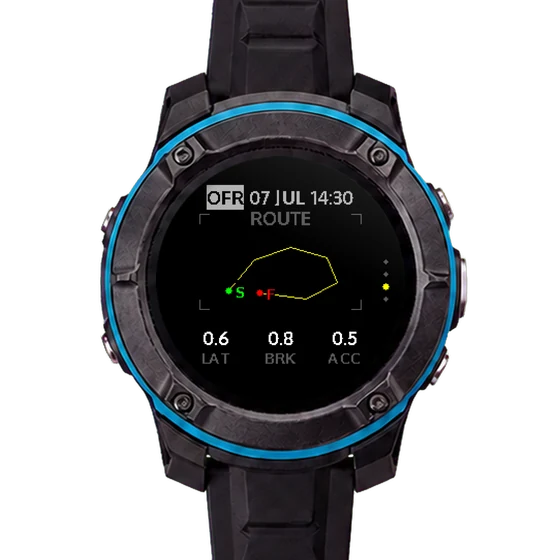
Three GPS sources, switchable on the watch
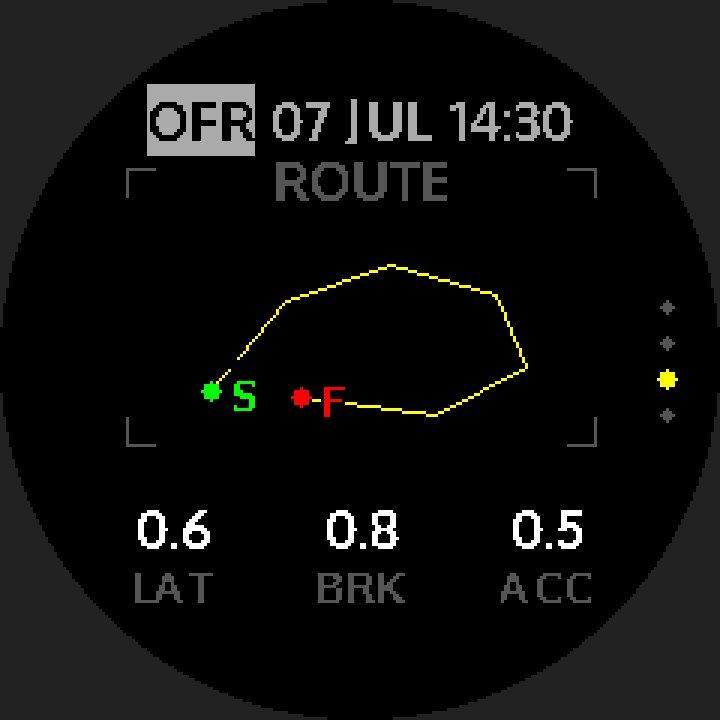
STINT ROUTE track screen: start/finish S/F, LAT / BRK / ACC
Actual device screen

Switchable GPS source

Use the built-in GPS day to day. When you need a higher sample rate, pair a RaceBox Mini or a Qstarz — no need to change watches.

Samples per second

External RaceBox Mini

25 Hz positioning with measured g-force — suitable for track and acceleration logging.
25 Hz

External Qstarz

BL-1000GT and BL-818GT supported; about 5.6 Hz in our tests, no g-force.
5.6 Hz

Built-in GPS

5 Hz built in, switchable to 1 Hz to save battery; g-force is a derived value.
5 Hz

All three sources use the same recording format and sync to the app.

From watch to phone

View and organise your records on your phone.

01
Session sync
Sync sessions from the watch to your phone.
02
Lap-by-lap detail
Lap time, top speed and peak g for every lap.
03
Map trace
See where you drove, on a map.
04
Shareable result card
Generate a result card to post on social media.
05
Tilt overlay on video
Overlays tilt data onto your footage; iPhone only for now.
06
Export KML · GPX · CSV
Export the file for use in other tools.
07
STINT ID
Link your account to keep your backups associated with your identity.
08
Cloud backup and restore
Back up your records and restore them when needed. Requires an app version that supports cloud connectivity.
Before you start

Version and platform support.

Available features depend on the watch firmware and app version you receive.

Video export

Video export with data overlays currently supports iPhone. Video export is not yet available on Android.

Watch updates

Updating the watch through a phone is still being tested. For engineering-unit updates, follow the method provided by the team.

Pilot tester recruitment

We are looking for testers who will use the watch, note issues and send back records.

Your real-world use, log files, screenshots and notes are what let us confirm problems and plan fixes.

For participants who complete testing
Conditions for receiving a production unit

Participants who complete all three test rounds and meet the participation requirements will receive one production unit when production begins. Eligibility is governed by the Test Participation Agreement. If the product does not enter production, this offer does not apply.

What you get

  • A STINT engineering unit, free to use for the test period
  • A unit with newer firmware for each round
  • Progress letters: what got fixed this cycle, and who reported it
  • Every report is read and answered by a person
  • Selected testers are credited on the site and in the progress letters

What we ask of you

  • At least 6 real outings over the period (8 for the RC crawler category)
  • Hand in each round's tasks: one log file, one screenshot, three sentences of feedback
  • Share at least 3 public posts and let STINT reshare them
  • Send the unit back at the end
  • The engineering unit may crash; when it does, note the steps and capture the screen

About one to three months, possibly in three rounds depending on development

Weeks 1–4

Check the basics work

Pairing, everyday distance, acceleration runs, automatic lap detection and downloading logs.

Weeks 5–8

GPS sources and attitude features

Compare the recordings from all three GPS sources, and test the attitude features, video overlay and battery drain.

Weeks 9–12

Long sessions and awkward conditions

Sessions over two hours, rain, obstructed sky, time zones and imperial units — plus one scenario of your own choosing.

Five categories

CategoryRecommended kitWhat it tests
Track / timed sessionsA RaceBox Mini or Qstarz receiver (built-in GPS works if you have neither)Automatic lap detection, lap-time accuracy, comparison with official timing
Daily + 0–100 + mountain roadsAn external receiver, RaceBox Mini preferred (built-in GPS works if you have none)0–100 splits, distance totals, speed-camera alerts
Off-road / trailsA digital inclinometer is recommendedOff-road mode, attitude indicator and mounting calibration (requires attachment to the vehicle and a stationary reference)
RC rock crawlerA digital inclinometer or angle gaugePitch, roll and FreeTilt handheld measurement
OverseasNot requiredImperial units, GNSS in other regions, time zones
← swipe to see the whole table →

For the track and acceleration categories, owning a RaceBox Mini or Qstarz counts in your favour, because the testing needs a second source to cross-check against. You can still apply without an external receiver — the watch's built-in GPS (5 Hz) does the job.

What the engineering unit cannot do yet

  • Cloud backup requires an app version with cloud connectivity. Online leaderboards are not currently available.
  • Updating the watch through a phone is still being tested. For engineering-unit updates, follow the method provided by the team.
  • The tilt video overlay is iPhone-only for now
  • The Qstarz source measures about 5.6 Hz in practice, and gives no g-force data
  • G-force from the built-in GPS is derived, not measured
  • The finish, the button feel and the strap are not production parts
Apply

If any of this is on your calendar, or something close to it, we would like you as a pilot tester.

The form asks about your vehicle, where you drive, and which testing you could take on. To see how the watch actually works first, read the User manual (Chinese, English, Japanese, Spanish).

Common questions

Select a question to see the answer, or search for what you would like to know.
Browse frequently asked questions
Does taking part cost anything?
No. Use is free for the test period, the unit is on loan, it goes back at the end, and we pay the postage.
I am not a racing driver — I just like driving. Is that all right?
Absolutely. Choose the "Daily + 0–100 + mountain roads" category. For the acceleration or mountain-road testing, owning a RaceBox Mini or Qstarz for cross-checking counts in your favour; without one, the built-in GPS is fine.
Does RC count?
It does — choose the "RC rock crawler" category. That category tests climb and roll angles and does not use GPS.
What if the unit breaks?
Some damage is unavoidable in testing. Anything caused by normal use is on us, and we swap the unit. Impacts, rollovers and mud in RC testing all count as normal use. If anything is wrong with the product, just tell us.
What happens to my driving data?
Driving data is used only for debugging and product improvement. It is never published or sold, and it is destroyed once testing ends. The details are in the Privacy Notice.
When will it go into production, and what will it cost?
Neither the production date nor the price is settled. We will post updates as things firm up, and pilot testers hear about it too.